Frequently Asked Questions
How will our films be delivered?
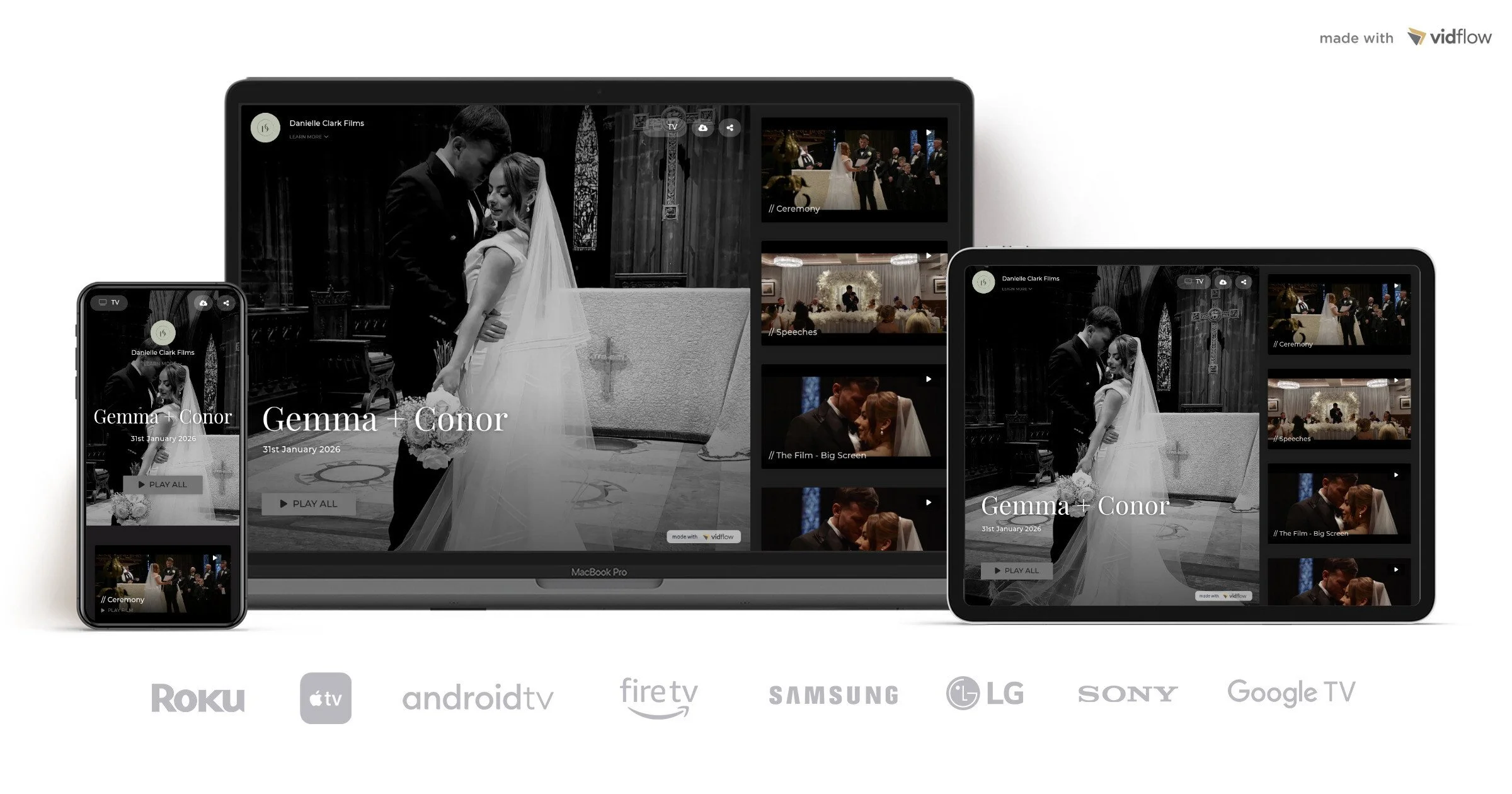
All the films from your day will be delivered in your own personal gallery via VidFlow.
This can be accessed via any device, including your Smart TV.
Videos can also be downloaded to your mobile or laptop.
How long does it take to receive our video?
Delivery is usually within 6–8 weeks, depending on the time of year. I’ll always keep you updated.
How would you describe your filming style?
My style is cinematic and natural. I focus on real moments as they unfold rather than staging or directing the day.
No awkward posing. I’ll gently guide you if needed, but most of what I capture is completely unposed and authentic.
Do you travel outside Glasgow?
Yes — I’m based in Glasgow but I’m happy to travel across Scotland and beyond.
*Travel costs may apply for locations more than 50 miles outside of Glasgow.
Why should we book a videographer as well as a photographer?
Photos capture moments — film lets you relive them. The movement, the laughter, the voices, the atmosphere… it’s a completely different experience.
Do you film destination weddings?
Yes — I’m always open to destination weddings.
Get in touch with your plans and I’ll create a custom quote.
How to watch on your smart TV?
1. Search & Install VidFlow TV App
Open the App Store or Content Store on your Smart TV or streaming device
Search for 'vidflow' in the store
Install the VidFlow app to your TV
2. Launch the VidFlow TV App
Once installed, launch the VidFlow TV app.
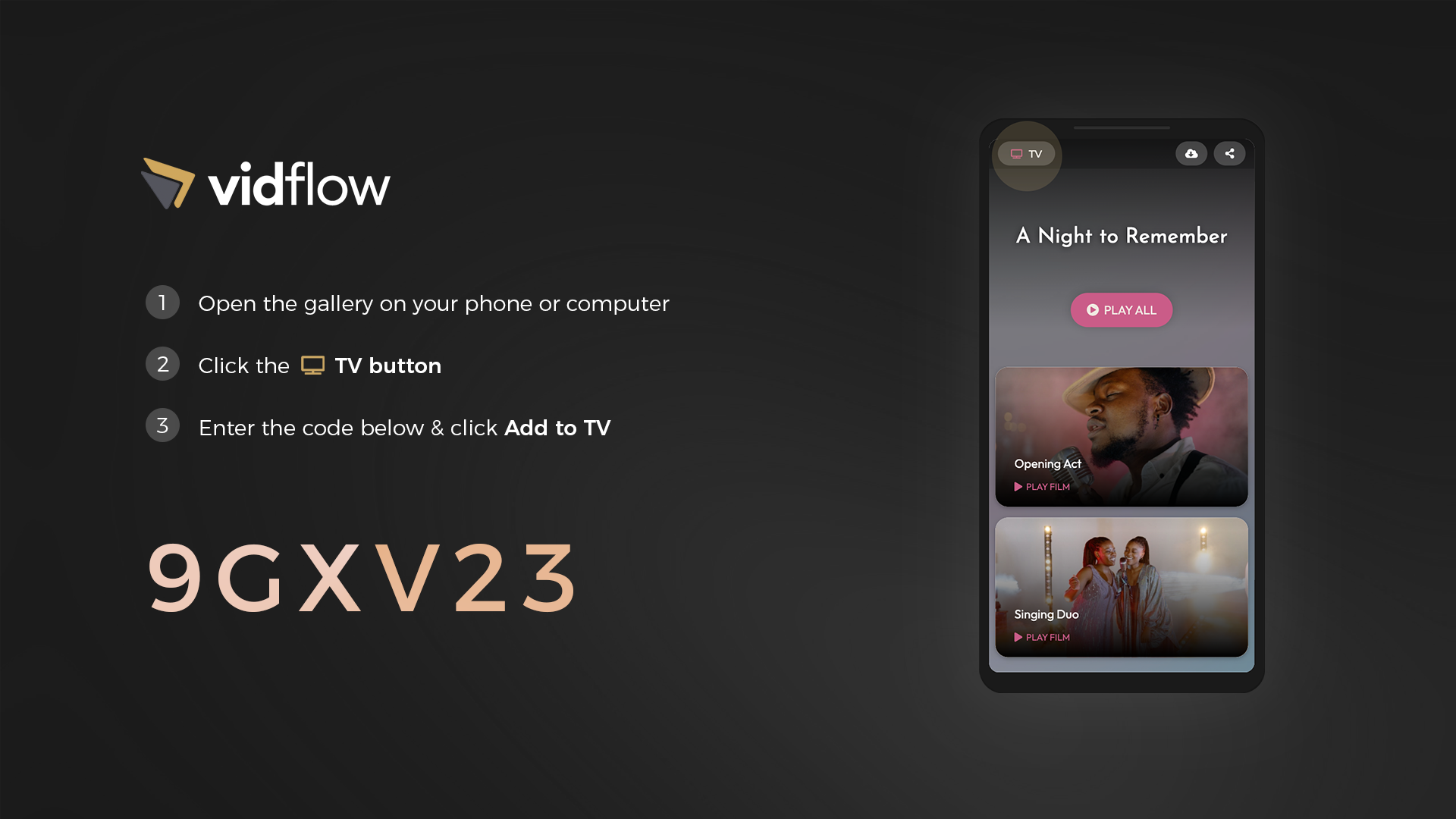
The app will display a 6-Digit Code on the screen.
3. Pair your Gallery to TV
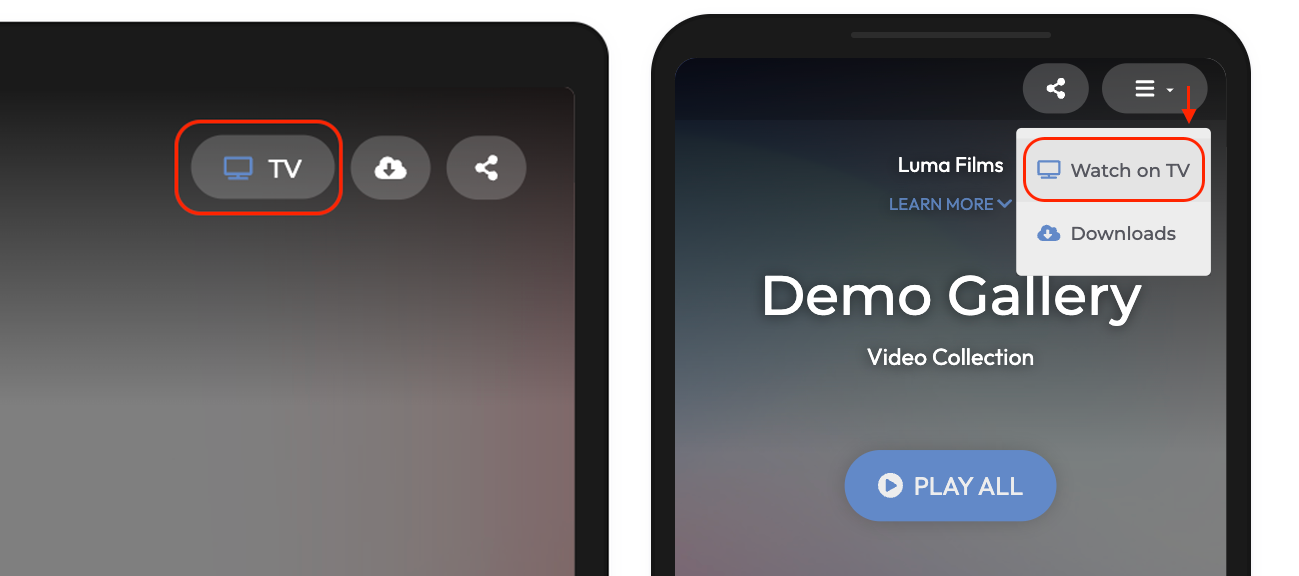
On your phone or computer, open the video gallery you received, and tap the TV button on the top right. On mobile devices, the TV button is available in top-right menu.
This will open the ' Watch on TV' window.
Next, enter the 6-Digit Code displayed on the TV, and click 'Add to TV':
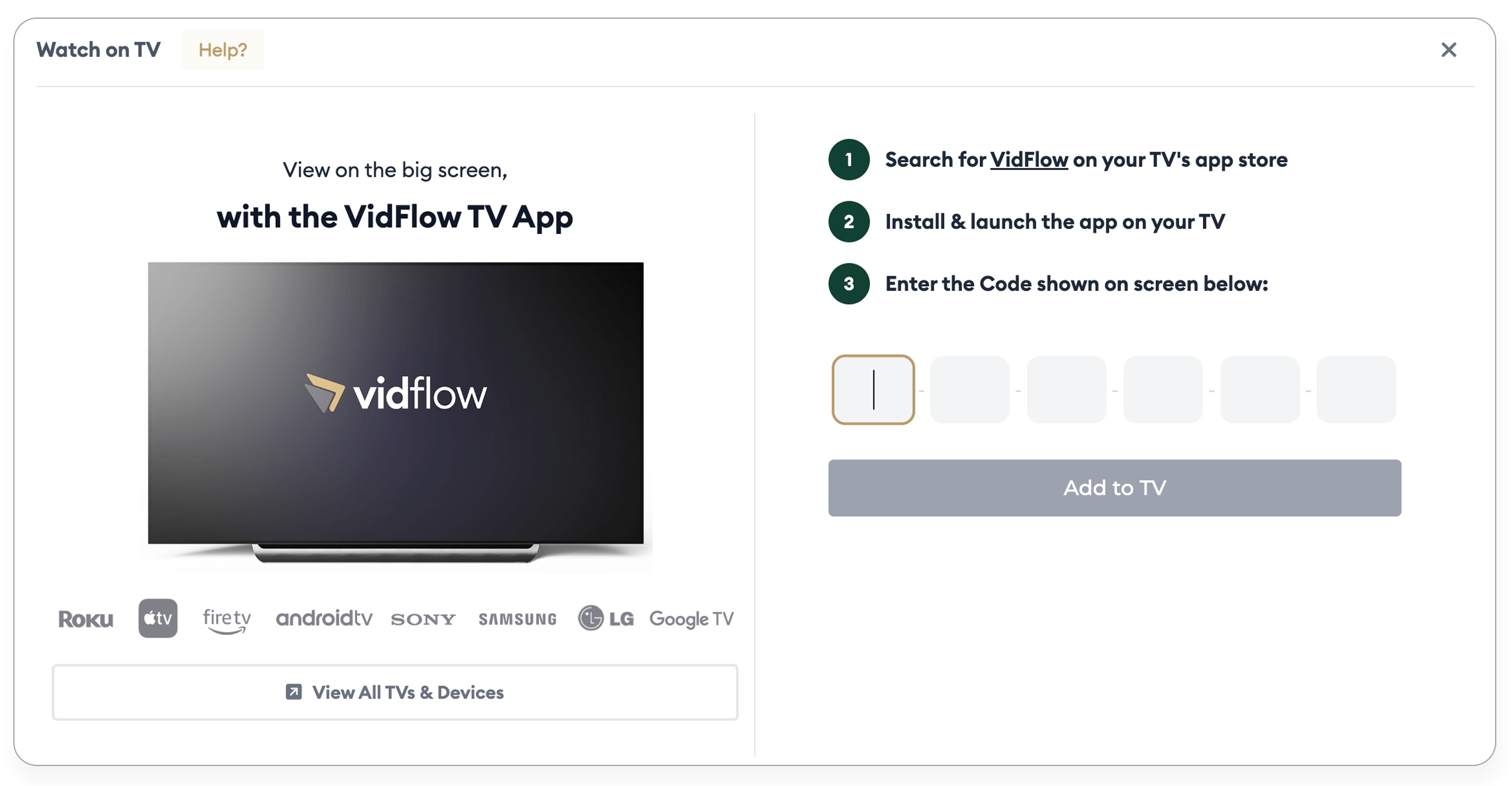
Within 30 secs, your video gallery will appear on your TV.
This is a one-time process, and you can access your videos on your TV via the VidFlow app anytime.